Key takeaway: A healthcare communication system routes calls, alarms and messages between clinicians, patients and clinical systems. Buy it as a patient safety tool, not a phone upgrade: bring IT, nursing leadership and compliance in from day one, test every compliance claim against signed agreements and real audit logs, and price the whole lifecycle, not just the licence.
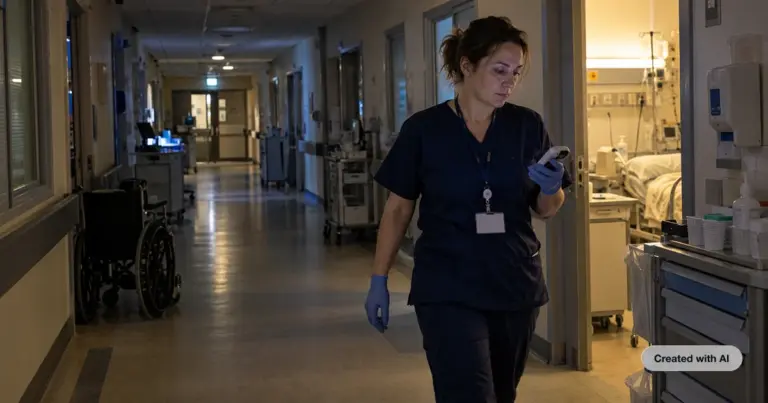
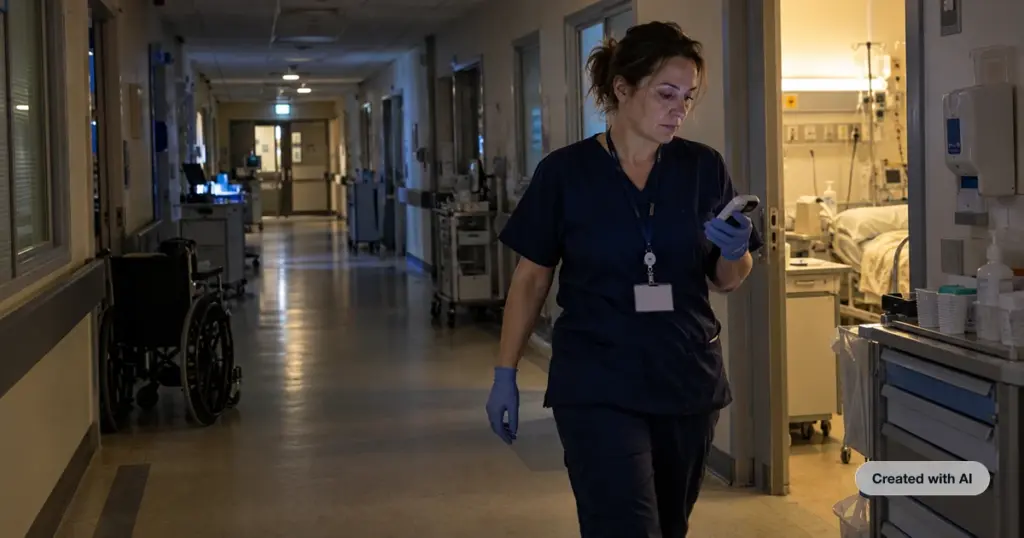
When a nurse call alarm reaches the wrong handset, or a ward phone rings out at 3 a.m., the cost is not counted in IT tickets. It shows up as patient harm, staff stress and malpractice claims. Yet many hospitals still run a patchwork of legacy PBX, pagers, personal mobiles and standalone nurse call panels that were never designed to work together.
This guide is for the people who have to replace that patchwork: IT leaders, chief nursing officers and compliance officers. It covers what a healthcare communication system should do in 2026, how to read compliance claims, how integration with EHRs and Microsoft Teams really works, what the system costs over its life, and the warning signs that should end a vendor conversation early.
What is a healthcare communication system?
A healthcare communication system is the combination of software, devices and integrations that carries voice calls, secure messages, alarms and notifications between care teams, patients and clinical systems. In a hospital it usually brings together telephony, nurse call, wireless handsets, overhead paging, secure messaging and video, and connects them to the EHR.
The market uses several overlapping labels: hospital communication software, clinical communication and collaboration (CC&C) platforms, and unified communications for healthcare. The label matters less than the scope. A modern system should get one alert or call to the right person, on whatever device they carry, and keep a record of who responded and when.
Why outdated communication infrastructure puts patients and staff at risk
Communication failures are a documented driver of harm. CRICO Strategies, the research arm of the insurer for Harvard-affiliated hospitals, reviewed 23,000 malpractice claims filed between 2009 and 2013. Communication problems contributed to 7,149 of them (30 percent), including 1,744 deaths and $1.7 billion in costs, and to 37 percent of high-severity injury cases.
Alarms are the second risk. The Joint Commission’s Sentinel Event Alert 50 recorded 98 alarm-related events between January 2009 and June 2012, 80 of which ended in death, with alarm fatigue as the most common contributing factor. When every alert sounds the same and lands at a fixed station, staff learn to tune it out.
Then there is the workforce. In the 2024 National Nursing Workforce Study of 800,000 nurses, 40 percent said they intend to leave the workforce by 2029, and more than 138,000 had already left since 2022. Fragmented tools add friction to every shift: walking back to a station to take a call, chasing a colleague whose status is unknown, repeating a handoff because the context was lost. A communication system cannot fix staffing, but it can stop wasting the time of the staff a hospital still has.
Who decides: the buying committee and what each member prioritizes
A hospital communication purchase rarely belongs to one department. Each stakeholder can block the decision, so map their criteria before the first demo.
| Stakeholder | Main question | What they test in a demo |
| IT and CIO | Will it run reliably on our network and connect to what we already have? | Uptime record, network requirements, single sign-on, integration method, admin effort |
| Chief nursing officer and clinical leaders | Will nurses actually use it, and will it cut interruptions? | Mobile usability, alarm prioritization, escalation speed, handset ergonomics and hygiene |
| Compliance and privacy officer | Can we prove it protects patient data? | Data processing agreements, encryption, access control, audit logs, data residency, message retention |
| Facilities and biomedical engineering | Will it work with our nurse call and alarm infrastructure? | Supported nurse call vendors and protocols, radio coverage, device lifecycle |
| Finance and procurement | What will it cost over five years? | Licensing model, hardware, implementation, training, support terms |
Pro tip: Give every shortlisted vendor the same scripted scenario: “A patient on ward 4 pulls the call cord at 02:00. Show us where the alert goes, how it escalates if nobody answers in 60 seconds, and where we see the record the next morning.” One live walkthrough exposes integration gaps faster than any feature sheet.
Must-have features in a hospital communication system
Secure messaging
Clinicians will text whether or not the hospital gives them a sanctioned tool, so the system needs encrypted, authenticated messaging with delivery and read receipts. Since June 2024, The Joint Commission permits texting patient orders through a secure texting platform that is encrypted, verifies the author’s identity, and captures orders in the EHR dated, timed and authenticated.
Nurse call integration
A call cord or bed alarm should reach the assigned caregiver’s handset with the type and location of the alert, not just a light above a door. Our healthcare communications system routes alarms directly to W-AIR wireless handsets [5] and integrates with leading platforms worldwide, including Ascom [5], Televic Healthcare [5], and Poltys Direct Care Connect (DCC) [5] (widely used by healthcare and senior living providers across North America [3]). Native support for open APIs and the European ESPA 4.4.4 protocol [5] means a hospital can keep its existing nurse call infrastructure while upgrading to mobile-first workflows.
Mobile-first design
Nurses spend their shift on the move, so the primary device is a handset or smartphone, not a desk phone. Check battery life over a full shift, readability with gloves on, and whether devices survive hospital disinfection. W-AIR Med handsets, for example, have an antibacterial coating and a ruggedized design.
Overhead paging
Overhead paging still matters for codes and evacuations. The system should trigger IP speakers and paging zones from the same platform that handles calls, rather than a separate console. Our integrations include SIP paging and IoT devices from vendors such as Algo and CyberData.
Escalation workflows and alarm prioritization
Not every alert is equal. Look for priority levels with distinct ringtones and colors, automatic escalation when an alert goes unanswered, and a log that shows response time and who responded. That log is what turns a near-miss into a fixable process.
Presence, directories and staff safety
Staff should see at a glance who is free, on a call or off shift, across handsets, desk phones, mobile and desktop. In high-risk areas, lone worker, pull cord and man-down alarms with location let caregivers call for help instantly.
Healthcare compliance: HIPAA, GDPR and NIS2 in practice
Compliance is about technical safeguards and legal liability, not vendor badges. The U.S. Department of Health and Human Services (HHS) does not recognize private “HIPAA certifications”, and European regulators audit systems based on concrete technical controls and physical data residency under the GDPR and the NIS2 Directive.
Whether operating under US or EU jurisdictions, hospitals must verify specific safeguards before routing any patient data, call recordings, or clinical chat logs through a communication platform.
| Vendor claim | What it actually means | How to verify it |
| “HIPAA Compliant” (US) | Regulatory protection for patient data in the US | A signed Business Associate Agreement (BAA) that covers all subcontractors |
| “GDPR Compliant” (EU) | Strict privacy and data residency guarantees in Europe | A signed Data Processing Agreement (DPA) and local sovereign EU data hosting |
| “NIS2 Ready” (EU) | Enhanced security standards for critical infrastructure | MFA, vulnerability management, and active security incident reporting protocols |
| “End-to-end encryption” | Secure transmission of clinical data | AES-256 encryption in transit and at rest for voice, video, and transcripts |
| “Secure access” | Prevent unauthorized system access | Role-based access controls, single sign‑on (SSO), and multi-factor authentication |
| “Full audit trail” | Accountability for clinical actions | Immutable, exportable logs showing who accessed what data and when |
| “Independently audited” | Third-party proof of data security | A valid ISO 27001 certificate or current SOC 2 Type 2 audit report |
AI medical receptionist is GDPR and HIPAA compliant, SOC 2 Type 2 and ISO 27001 certified, and runs on a single-tenant architecture with regional data residency. Security documentation is available in the Wildix Trust Center.
On-premise vs cloud vs hybrid deployment
| Model | Best fit | Strengths | Trade-offs |
| On-premise | Large networks with their own data centers and strict control requirements | Full control over hardware and data location | High upfront cost, in-house upgrades and patching, specialist staff |
| Cloud | Smaller regional facilities, clinics and multi-site groups | Fast rollout, predictable subscription cost, continuous updates | Depends on WAN quality; needs a plan for connectivity outages |
| Hybrid | Most hospitals | Cloud call control and apps, with on-site radio coverage, nurse call and gateways | More moving parts at the boundary between cloud and site |
In practice, a hospital cannot rely solely on a pure cloud model where a single WAN outage stops care-team communication. The Wildix hybrid architecture delivers a single-tenant Cloud PBX paired with an on-premises PBX with active failover. If the internet connection drops, internal communication on the local multi-cell DECT system continues to function flawlessly, keeping nurses and medical staff connected locally without interruption.
Furthermore, while most vendors host clients on shared multi-tenant instances, Wildix provides a dedicated single-tenant instance per customer—ensuring complete data isolation and meeting the strictest requirements of privacy and compliance officers. Our DECT system scales to 4,000 base stations and 16,000 handsets, so coverage extends across large campuses. Media gateways connect the analog lines that hospitals still rely on for fax, elevators and legacy equipment.
Integration requirements: EHR, Microsoft Teams and existing telephony
EHR platforms such as Epic and Oracle Health (Cerner)
EHR vendors expose integration through standards such as HL7 v2 and FHIR APIs. Epic, for example, documents its interfaces and APIs on open.epic and runs a Vendor Services program for third parties. Typical communication use cases are click-to-call from the patient chart, caller identification that opens the right record, care-team lookup for routing, and capturing texted orders in the chart.
Ask every vendor three questions. Is the integration live at a hospital running the same EHR version? Does it use HL7, FHIR or middleware? Who maintains it after an EHR upgrade? “On the roadmap” is not an answer.
Wildix connects to clinical and business systems through open APIs and an Integrations Hub of more than 200 business systems. Hunt Club Medical, a family and urgent care clinic in Florida, is exploring an eClinicalWorks integration and AI call transcription as its next step.
Microsoft Teams
Many hospitals have standardized on Teams for collaboration but need full telephony and nurse call behind it. teams4Wildix adds a Wildix tab inside Teams for internal and external calls without additional Microsoft E5, E3 or Teams Phone licences. A hybrid setup lets selected users dial from the native Teams dialpad, which does require those Microsoft licences.
Existing telephony and nurse call
A replacement should not force a rip-and-replace of everything at once. Confirm support for your SIP trunks, analog endpoints and current nurse call platform, and plan a phased cutover ward by ward.
Browser and Chromebook access
Shared workstations and Chromebooks are common on hospital floors, and installing desktop clients on them is an IT burden. Wildix Collaboration runs in the browser on WebRTC, and our Google integration lists full Chrome support and Chromebook support. As Daniel Pizarro, CEO of Wildix partner Infobox, put it after deploying Wildix for the Institute of Tropical Medicine Alexander von Humboldt in Peru: “With Wildix, when using WebRTC, you only need a browser”.
Total cost of ownership: what to budget beyond the licence
The licence is usually the smallest line in a five-year budget. Compare vendors on the full lifecycle.
| Cost component | What it includes | Question to ask |
| Licensing | Per-user or per-device subscriptions, feature tiers | Which features in the demo are in the tier we are being quoted? |
| Hardware | Handsets, base stations, chargers, gateways, spares | Buy, lease or hardware as a service? What is the replacement cycle? |
| Implementation and integration | Site survey, configuration, nurse call and EHR interfaces | Is integration work fixed price or time and materials? |
| Training | Super-user and end-user training, ongoing onboarding for new staff | How long does a new nurse need before using it on shift? |
| Support | Service levels, response times, on-site support | What do the SLA credits look like, and who answers at 2 a.m.? |
| Add-ons | AI features, analytics, recording, third-party licences | Are AI features billed per minute or per user? |
| Exit | Data export, contract term, termination fees | Can we take our logs, recordings and configuration with us? |
Red flags to watch for during vendor evaluation
- Vague SLAs. An uptime percentage with no definition of downtime, no service credits and no public status page.
- No clinical references. The vendor cannot connect you with a facility of similar size and acuity that runs the system today.
- Poor mobile UX. The demo happens on a laptop. Insist on testing handsets with gloves, at night, with real nurses.
- “HIPAA certified” claims. Or any hesitation about signing a Business Associate Agreement.
- Roadmap integrations. EHR or nurse call integration that is “coming next quarter”.
- Pricing that grows with use. Per-minute AI charges or paid tiers for features shown in the demo.
- Lock-in. No clear way to export logs, recordings and configuration at the end of the contract.
How AI is changing hospital communication in 2026
AI is moving from pilot to expectation in four areas.
- Smart routing. Calls and alerts go to the right person based on role, schedule and real-time presence, instead of a static extension list.
- Voice agents at the front door. AI receptionists answer administrative and routing calls around the clock. By handling routine inquiries—such as appointment scheduling, directions, or visiting hours—they free up human operators to focus on high-priority clinical communications, ensuring that no patient call is dropped or left on hold during peak traffic times.
- Transcription and summaries. Automatic call notes cut documentation time, provided the data stays within the hospital’s compliance boundary.
- Availability prediction. Vendors increasingly market “predictive availability”. Ask what data it uses, such as presence, rosters or calendars, and how it behaves when that data is stale.
The guardrails matter as much as the features. Wilma AI, our agentic AI assistant, speaks 53+ languages, identifies itself as an AI at the start of every interaction, and hands over to staff with the full conversation on screen. It is designed for administrative patient communication such as booking and routine questions, not medical emergencies, and Wildix recommends routing rules that escalate any emergency language to a human immediately.
How to choose a healthcare communication system: an 8‑step checklist
- Map current workflows: who calls whom, which alarms fire where, and where delays happen.
- Form the buying committee: IT, nursing leadership, compliance, facilities and finance.
- Define must-haves against the feature list above, and rank them.
- Request signed compliance documents (such as a BAA or DPA) and security documentation before any demo.
- Run the same scripted clinical scenario with every shortlisted vendor.
- Call at least two references at comparable facilities.
- Build a five-year total cost of ownership model for each finalist.
- Pilot on one ward with real staff before a full rollout.
Where Wildix fits in complex hospital environments
We built Wildix around three things hospitals tell us matter most: reliability, access from any device, and deployments that do not stall.
- Reliability. Children’s Hospice South West (a UK-based healthcare provider) replaced an old system whose lines kept going down across rural sites. Today 400 staff across three hospices run on Wildix, and their head of IT says it “is really easy to deploy, it is simple to use”.
- Browser and Chromebook access. Clinicians work from any browser with no client to install, which matters on shared workstations and Chromebooks.
- Ease of deployment. At the Institute of Tropical Medicine in Peru, associate investigator Dr. Fiorella Krapp Lopez says Wildix “allowed us to set up everything” in just two days. Hunt Club Medical reports talking to 15 to 20 percent more patients each day after rolling out call queues and analytics.
Every deployment is delivered and supported by a certified Wildix partner in your region, who scopes the integrations and trains your staff. For a wider view of how we connect nurse call, handsets and video for care teams, read how Wildix is transforming communication technology in healthcare.
Ready to see it on your own workflows? Book a demo and bring your scripted scenario.
FAQ
What features should a hospital look for in a healthcare communication system?
Look for secure messaging, nurse call integration, EHR compatibility, mobile-first devices, overhead paging and automatic escalation of unanswered alerts. Add presence across all devices, staff safety alarms with location, and audit logs that show who responded and when. Test each feature in a scripted clinical scenario, not a slide deck.
How do healthcare communication systems integrate with EHR platforms like Epic and Cerner?
They integrate through the interfaces the EHR vendor exposes, mainly HL7 v2 messages and FHIR APIs, sometimes via middleware. Common uses are click-to-call from the chart, caller identification, care-team lookup and capturing texted orders in the record. Ask for a live reference on your EHR version and confirm who maintains the interface after upgrades.
What does compliance mean for a hospital communication system?
It means the system and its vendor apply the necessary legal safeguards to patient data based on their jurisdiction. In the US, this requires adherence to the HIPAA Security Rule and a signed Business Associate Agreement (BAA). In the EU, it requires GDPR and NIS2 adherence with regional data residency and a Data Processing Agreement (DPA). Under all frameworks, key requirements include encryption, access controls, and comprehensive audit logs.
What is the difference between a unified communications system and a traditional nurse call system?
A nurse call system connects patients to caregivers through call cords, bed alarms and station panels. A unified communications system carries voice, video, messaging and presence across the whole organization. Integrated together, nurse call alerts reach caregivers’ handsets with location and priority, alongside every other call and message.
What are the risks of poor communication in hospital settings?
Poor communication leads to patient harm, alarm fatigue, staff burnout and legal exposure. CRICO Strategies found communication failures in 30 percent of 23,000 malpractice claims filed from 2009 to 2013, including 1,744 deaths. The Joint Commission recorded 80 alarm-related deaths in its database between 2009 and 2012.